
PC Download Game
MiSide: Zero (Alpha)
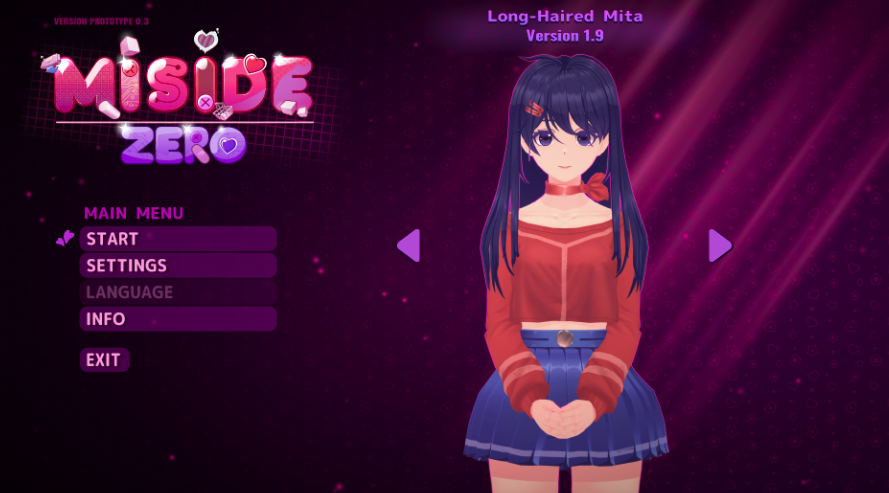
MiSide: Zero (Alpha) is a fan-made prequel + reimagining made by Voidway. This page explains what it is, where to download it safely, who “Zero” is, and how to handle common “quarantined / virus warning” messages.
Quick links
MiSide Zero Download & Install
Official link + Windows install steps (Installer vs ZIP).
MiSide Zero Story: Who Is “Zero”?
What the “prequel + reimagining” means, and how it connects to the base game.
Quarantined / Virus Warning Explained
What the warning usually means, safe checks, and what to do next.
Important facts (read first)
- MiSide: Zero (Alpha) is a fan-made prequel + reimagining by Voidway, and it is NOT affiliated with AIHASTO or IndieArk.
- It is a Windows download (not a browser/iframe game).
- Use official links only: voidwaygames.itch.io/misidezero and the official Discord invite.
What is MiSide: Zero (Alpha)?
MiSide: Zero (Alpha) is described by the developer as a fan-made prequel and reimagining of MiSide. In practical terms, that means it borrows the world and mood that players recognize, but it also introduces major rewrites to the world mechanics, plot lines, and character arcs. If you’re searching for “miside zero alpha”, you’re probably trying to understand whether it’s official, where to download it, and how it fits into the MiSide universe. This page is built to answer those questions without misleading you.
The project is currently in development and the alpha is often described as a short session (roughly around a half-hour). It’s meant to be a playable slice, not a full-length game. That’s why the most useful information is: official links, installation steps, and a clear story/timeline summary.
Is MiSide Zero official? Is it free?
MiSide: Zero (Alpha) is not an official AIHASTO / IndieArk release. The official page explicitly says it is not affiliated with those parties. That matters because many “miside zero” searches come from people expecting an official sequel, DLC, or a browser demo. Treat it as a fan project, and always use official download sources.
Pricing and download details can change over time, so the safest approach is: open the official Itch.io page, read the project description, and download from the files provided there. If you want dev updates, use the official Discord.
How to download MiSide Zero (official links)
Use the official Itch.io page as your only download source. Avoid mirrors and random file-hosting reuploads. The download page also provides the filenames and sizes, which makes it easier to spot fake or tampered downloads. For step-by-step install help, use the dedicated download page on this site.
- Read the dedicated guide: /miside-zero-download
- Only download from the official Itch.io page (Voidway).
- Get updates through the official Discord if something changes.
Who is “Zero”? Connection to “Beyond the World”
The official description says the protagonist is the blonde player character you encounter in MiSide’s “Beyond the World” chapter, nicknamed “Zero”. MiSide: Zero is framed as a prequel that takes place about a year before the base game’s events. That’s the cleanest way to understand it: it re-centers the story around a familiar figure, but tells an alternate version with major rewrites.
If you want a story-focused explanation (without overselling it as canon), the story page breaks down what “prequel + reimagining” means, how the timeline is described, and how to talk about “canon” carefully when it’s a fan project.
- Read the story page: /miside-zero-story-zero
Minimum system requirements (alpha)
The official page lists an entry-level 1080p baseline. Don’t treat this as a guarantee for every PC, but it’s a helpful quick check if you’re trying to decide whether to download or not.
Quick requirements check (official page)
| Part | Minimum (reference) |
|---|---|
| GPU | NVIDIA GT 1030 2GB |
| CPU | AMD Athlon 3000G |
| RAM | 4 GB |
| Storage | 200 MB free space (minimum) |
If you’re on a low-end PC, the practical tips are: close background apps, keep enough free disk space, and run the game from a normal folder (not inside a compressed ZIP). If you’re unsure, start with the alpha and treat it as a small test run.
Languages & subtitles
The Itch page lists multiple supported languages and subtitles. If you’re browsing from a different region, it’s still worth checking the settings menu after launch because language selection can be in-game rather than on the launcher.
- Many UI/subtitle languages are listed (English plus multiple European and Asian languages).
- Subtitles are listed as supported accessibility.
Common issues (quarantined / antivirus warning / can’t launch)
Some players report seeing “quarantined” or “risky download” messages on Itch or from Windows security prompts. That does not automatically mean the game is malicious, but you also shouldn’t ignore warnings. Use the safe-steps page on this site for a cautious checklist, and always download only from official sources.
- Read the safety page: /miside-zero-virus-quarantined
- If you still feel unsure, wait for an update and check the official Discord for announcements.
FAQ
Is MiSide: Zero (Alpha) official?
No. It is a fan-made project and the official page states it is not affiliated with the original publishers/studio.
Where can I download MiSide: Zero safely?
Use the official Itch.io page and avoid mirrors. If you need steps, follow the download guide on this site.
How long is the alpha?
It’s described as a short session (around a half-hour). Expect a playable slice rather than a full-length experience.
What should I do if I see a quarantined or virus warning?
Don’t ignore warnings, but don’t jump to conclusions. Use official sources only and follow a safe checklist (scan, verify source, and check official updates).